


Modernizing SWT’s Graphics Context Without Rewriting a Single Line
Emiliana Girardi on January 6th 2026
Over the last months working on SWT Evolve, I tackled what I consider the most impactful part of the modernization effort: bringing SWT’s Graphics Context (GC) into Flutter — fully compatible, fully modernized, and without requiring applications to change a single line of their existing rendering code.
Modernizing standard widgets is important, and it already provides a significant visual and usability upgrade. But many legacy Eclipse RCP applications rely heavily on custom graphics — diagrams, dashboards, editors, overlays, visual tooling, and the domain-specific visualizations built on top of GC, Draw2D, GEF, and GMF, among others. These components often carry the core logic and value of the application, yet they’ve been tied to native rendering pipelines from another era, leading to inconsistent visuals, platform-specific quirks, performance issues, and no viable path to the web.
GC poses a unique challenge because it is imperative. Applications expect each drawing operation to execute immediately and exactly as it has for decades. You can’t convert that into a declarative UI. And if GC is not implemented perfectly, frameworks like Draw2D and GEF immediately break, taking entire graphical editors down with it.
The solution in SWT Evolve was to execute existing GC operations through Flutter’s rendering engine, without modifying the original application code. The Java side continues calling GC as always, while the underlying system interprets those commands and renders them using Flutter’s modern GPU-accelerated pipeline. The result is consistent graphics across platforms, proper anti-aliasing, smooth compositing, HiDPI support, and a rendering model that feels genuinely contemporary.
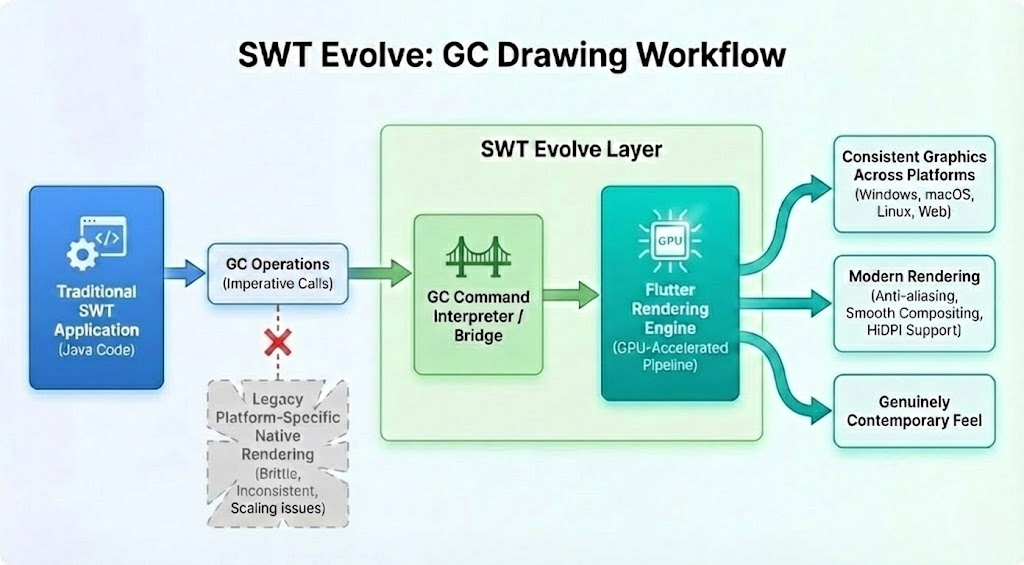
On the Flutter side, GC operations are rendered using a CustomPainter, which encapsulates the drawing logic directly on Flutter’s Canvas. This approach allows us to execute imperative drawing commands efficiently, leveraging Flutter’s low-level rendering API and GPU acceleration. CustomPainter is specifically designed for high-performance, fine-grained graphics rendering, making it a natural fit for complex scenes, frequent redraws, and advanced visualizations. By mapping GC operations to this model, we achieve precise control over painting, smooth updates, and consistent visual results across platforms.
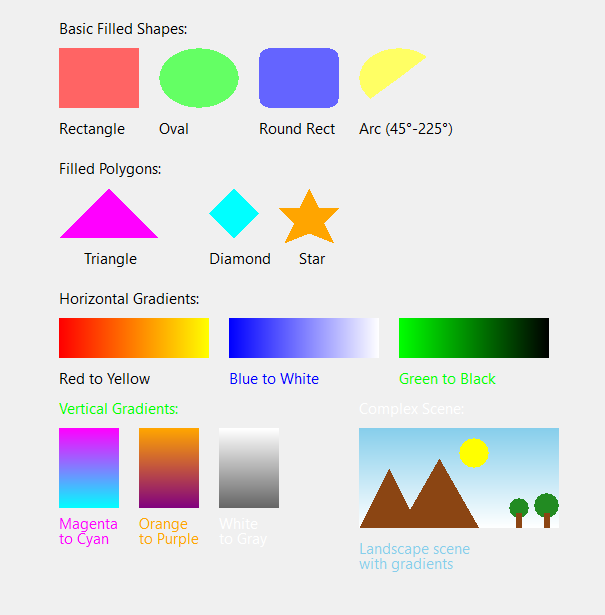
Legacy SWT
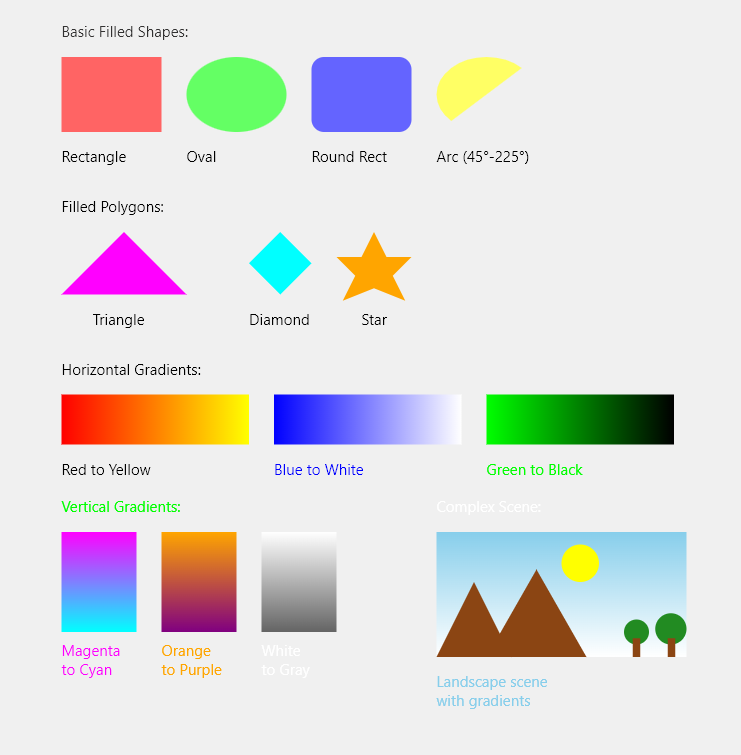
SWT Evolve
Beyond the technical achievement, this approach fundamentally changes what it means to modernize an Eclipse RCP application. Instead of rewriting years of GC-based rendering logic — an effort that can cost immense time and resources — SWT Evolve upgrades that entire layer instantly, preserving the original code while delivering modern, consistent, GPU-accelerated graphics. It essentially replaces what would traditionally be a massive, multi-year modernization effort with an automatic, drop-in upgrade.
Another crucial aspect is that this GC modernization fully coexists with all other evolve-rendered widgets. An application can have a Draw2D diagram, a GEF editor, a custom visualization, and next to them a modernized table, button, or form — all working together without conflicts, without requiring any migration effort, and with noticeably faster rendering. We will be publishing a benchmarking-focused blog post soon with detailed performance results.
This approach enables zero changes to existing drawing logic, full compatibility with Draw2D, GEF and GMF, among other frameworks , consistent cross-platform visuals, no flicker, and a real path to web deployment for applications with heavy custom graphics.
If you want to see more about how this behaves in practice, the widget gallery includes several GC snippets that clearly demonstrate how well these operations render in Flutter, alongside the many widgets already supported by SWT Evolve. It gives a concrete idea of how much of your UI can be modernized without rewriting anything.
Want to see more? Dive deeper into SWT Evolve by reviewing our Enterprise offering, visit our GitHub repository, or contact us to schedule a modernization discussion.