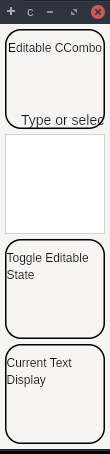
The CCombo class represents a selectable user interface object that combines a text field and a list and issues notification when an item is selected from the list.
packagedev.equo;importdev.equo.swt.Config;importorg.eclipse.swt.*;importorg.eclipse.swt.custom.*;importorg.eclipse.swt.events.SelectionAdapter;importorg.eclipse.swt.graphics.*;importorg.eclipse.swt.layout.*;importorg.eclipse.swt.widgets.*;/** * CCombo with different text alignments */publicclassCComboAlignmentSnippet{publicstaticvoidmain(String[]args){Config.useEquo(CCombo.class);Config.useEquo(Group.class);Displaydisplay=newDisplay();Shellshell=newShell(display);shell.setText("CCombo - Text Alignment");shell.setLayout(newGridLayout(1,false));String[]items={"Apple","Banana","Cherry","Date","Elderberry"};// Alignment groupGroupalignmentGroup=newGroup(shell,SWT.NONE);alignmentGroup.setText("Text Alignment");alignmentGroup.setLayout(newGridLayout(2,false));alignmentGroup.setLayoutData(newGridData(SWT.FILL,SWT.CENTER,true,false));Labellabel1=newLabel(alignmentGroup,SWT.NONE);label1.setText("LEFT aligned:");CComboleftCombo=newCCombo(alignmentGroup,SWT.BORDER|SWT.READ_ONLY|SWT.LEFT);leftCombo.setLayoutData(newGridData(200,SWT.DEFAULT));leftCombo.setItems(items);leftCombo.select(0);Labellabel2=newLabel(alignmentGroup,SWT.NONE);label2.setText("CENTER aligned:");CCombocenterCombo=newCCombo(alignmentGroup,SWT.BORDER|SWT.READ_ONLY|SWT.CENTER);centerCombo.setLayoutData(newGridData(200,SWT.DEFAULT));centerCombo.setItems(items);centerCombo.select(1);Labellabel3=newLabel(alignmentGroup,SWT.NONE);label3.setText("RIGHT aligned:");CComborightCombo=newCCombo(alignmentGroup,SWT.BORDER|SWT.READ_ONLY|SWT.RIGHT);rightCombo.setLayoutData(newGridData(200,SWT.DEFAULT));rightCombo.setItems(items);rightCombo.select(2);// Selection info groupGroupinfoGroup=newGroup(shell,SWT.NONE);infoGroup.setText("Selection Info");infoGroup.setLayout(newGridLayout(2,false));infoGroup.setLayoutData(newGridData(SWT.FILL,SWT.CENTER,true,false));LabelinfoLabel=newLabel(infoGroup,SWT.NONE);infoLabel.setText("Selected:");LabelselectionValue=newLabel(infoGroup,SWT.BORDER);selectionValue.setLayoutData(newGridData(200,SWT.DEFAULT));selectionValue.setText("Apple");// Add listenersSelectionAdapterupdateSelection=newSelectionAdapter(){@OverridepublicvoidwidgetSelected(org.eclipse.swt.events.SelectionEvente){CCombosource=(CCombo)e.widget;selectionValue.setText(source.getText());System.out.println("Selected: "+source.getText());}};leftCombo.addSelectionListener(updateSelection);centerCombo.addSelectionListener(updateSelection);rightCombo.addSelectionListener(updateSelection);shell.pack();shell.open();while(!shell.isDisposed()){if(!display.readAndDispatch())display.sleep();}display.dispose();}}
packagedev.equo;import staticorg.eclipse.swt.events.SelectionListener.*;importdev.equo.swt.Config;importorg.eclipse.swt.*;importorg.eclipse.swt.custom.*;importorg.eclipse.swt.layout.*;importorg.eclipse.swt.widgets.*;/** * CCombo Editable - Shows editable CCombo where user can type custom text * Key difference: Regular Combo READ_ONLY can't be made editable on all platforms * CCombo allows switching between editable and read-only at runtime */publicclassCComboEditableSnippet{publicstaticvoidmain(String[]args){Config.useEquo(CCombo.class);Config.useEquo(Group.class);Displaydisplay=newDisplay();Shellshell=newShell(display);shell.setText("CCombo Editable Example");shell.setLayout(newGridLayout(1,false));// Editable CCombo - user can type anythingGroupeditableGroup=newGroup(shell,SWT.NONE);editableGroup.setText("Editable CCombo");editableGroup.setLayout(newGridLayout(2,false));editableGroup.setLayoutData(newGridData(SWT.FILL,SWT.CENTER,true,false));Labellabel1=newLabel(editableGroup,SWT.NONE);label1.setText("Type or select:");CComboeditableCombo=newCCombo(editableGroup,SWT.BORDER);editableCombo.setLayoutData(newGridData(200,SWT.DEFAULT));editableCombo.setItems(newString[]{"Red","Green","Blue","Yellow","Orange"});editableCombo.setText("Type custom text...");// User can type custom text not in the listeditableCombo.addModifyListener(e->{System.out.println("Text changed to: "+editableCombo.getText());});// Toggle editable stateGrouptoggleGroup=newGroup(shell,SWT.NONE);toggleGroup.setText("Toggle Editable State");toggleGroup.setLayout(newGridLayout(2,false));toggleGroup.setLayoutData(newGridData(SWT.FILL,SWT.CENTER,true,false));Labellabel2=newLabel(toggleGroup,SWT.NONE);label2.setText("Current state:");ButtontoggleButton=newButton(toggleGroup,SWT.PUSH);toggleButton.setText("Make Read-Only");toggleButton.addSelectionListener(widgetSelectedAdapter(e->{booleanisEditable=editableCombo.getEditable();editableCombo.setEditable(!isEditable);toggleButton.setText(isEditable?"Make Editable":"Make Read-Only");System.out.println("CCombo is now "+(isEditable?"READ-ONLY":"EDITABLE"));}));// Show current textGroupdisplayGroup=newGroup(shell,SWT.NONE);displayGroup.setText("Current Text Display");displayGroup.setLayout(newGridLayout(2,false));displayGroup.setLayoutData(newGridData(SWT.FILL,SWT.CENTER,true,false));Labellabel3=newLabel(displayGroup,SWT.NONE);label3.setText("Current text:");LabelcurrentText=newLabel(displayGroup,SWT.BORDER);currentText.setLayoutData(newGridData(200,SWT.DEFAULT));currentText.setText("");editableCombo.addSelectionListener(widgetSelectedAdapter(e->{currentText.setText(editableCombo.getText());}));shell.pack();shell.open();while(!shell.isDisposed()){if(!display.readAndDispatch())display.sleep();}display.dispose();}}