TabFolder Examples
Instances of this class implement the notebook user interface metaphor.
Preview Swap Snippet
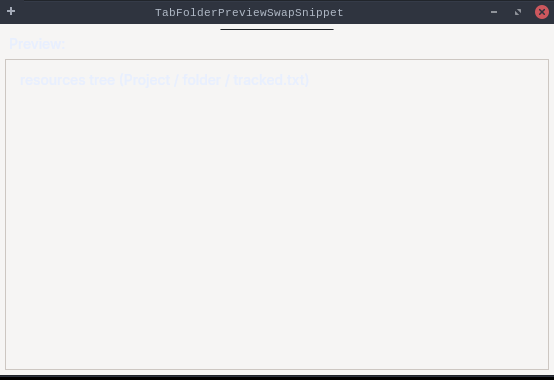
Faithful stand-in for EGit's Git → Label Decorations preference page: a
{@link TabFolder} whose {@link SelectionListener} swaps a dependent "Preview:" area below
it. The two preview panels ({@code navigatorPreview}, {@code changeSetPreview}) are sibling
composites in a {@link GridLayout} parent; switching tabs hides one and shows the other using the
exact mechanism EGit's {@code Preview.show()/hide()} uses — toggle {@code GridData.exclude} and
{@code Composite.setVisible(...)}, then {@code layout()}.
The reported bug: on the Flutter (web) backend the tab body switched but the preview never did,
because the Flutter tab click did not fire {@code SWT.Selection}, so this listener never ran. With
the fix the listener runs and the visible preview follows the selected tab.
Drive it on the web example and read the two panels' live {@code visible} state by id:
flutter-mcp launch TabFolderPreviewSwapSnippet ; flutter-mcp state
??? example "TabFolderPreviewSwapSnippet.java"
| package dev.equo;
import dev.equo.swt.Config;
import org.eclipse.swt.SWT;
import org.eclipse.swt.events.SelectionAdapter;
import org.eclipse.swt.events.SelectionEvent;
import org.eclipse.swt.layout.GridData;
import org.eclipse.swt.layout.GridLayout;
import org.eclipse.swt.widgets.*;
/**
* Faithful stand-in for EGit's Git → Label Decorations preference page: a
* {@link TabFolder} whose {@link SelectionListener} swaps a <em>dependent</em> "Preview:" area below
* it. The two preview panels ({@code navigatorPreview}, {@code changeSetPreview}) are sibling
* composites in a {@link GridLayout} parent; switching tabs hides one and shows the other using the
* exact mechanism EGit's {@code Preview.show()/hide()} uses — toggle {@code GridData.exclude} and
* {@code Composite.setVisible(...)}, then {@code layout()}.
*
* <p>The reported bug: on the Flutter (web) backend the tab body switched but the preview never did,
* because the Flutter tab click did not fire {@code SWT.Selection}, so this listener never ran. With
* the fix the listener runs and the visible preview follows the selected tab.
*
* <p>Drive it on the web example and read the two panels' live {@code visible} state by id:
* <pre>flutter-mcp launch TabFolderPreviewSwapSnippet ; flutter-mcp state</pre>
*/
public class TabFolderPreviewSwapSnippet {
/** One preview panel: a composite that can be shown/hidden exactly like EGit's Preview. */
static final class Preview {
final Composite composite;
Preview(Composite parent, String caption) {
composite = new Composite(parent, SWT.NONE);
composite.setLayout(new GridLayout());
composite.setLayoutData(new GridData(SWT.FILL, SWT.FILL, true, true));
Label label = new Label(composite, SWT.NONE);
label.setText(caption);
}
void show() {
((GridData) composite.getLayoutData()).exclude = false;
composite.setVisible(true);
composite.getParent().layout();
}
void hide() {
((GridData) composite.getLayoutData()).exclude = true;
composite.setVisible(false);
composite.getParent().layout();
}
}
public static void main(String[] args) {
Config.useEquo(TabFolder.class);
Config.useEquo(TabItem.class);
Display display = new Display();
Shell shell = new Shell(display);
shell.setText("TabFolderPreviewSwapSnippet");
shell.setLayout(new GridLayout());
TabFolder folder = new TabFolder(shell, SWT.TOP);
folder.setLayoutData(new GridData(SWT.FILL, SWT.TOP, true, false));
String[] tabs = { "General", "Other" };
for (String name : tabs) {
TabItem item = new TabItem(folder, SWT.NONE);
item.setText(name);
Text body = new Text(folder, SWT.MULTI | SWT.BORDER);
body.setText(name + " tab content");
item.setControl(body);
}
folder.setSelection(0);
Label previewCaption = new Label(shell, SWT.NONE);
previewCaption.setText("Preview:");
// The dependent area: both panels stacked in a GridLayout parent; only one is shown at a time.
Composite previewArea = new Composite(shell, SWT.BORDER);
previewArea.setLayout(new GridLayout());
previewArea.setLayoutData(new GridData(SWT.FILL, SWT.FILL, true, true));
Preview navigatorPreview = new Preview(previewArea, "resources tree (Project / folder / tracked.txt)");
Preview changeSetPreview = new Preview(previewArea, "commits preview ([Author] (date) message)");
// Initial state mirrors the General tab: navigator shown, change set hidden.
navigatorPreview.show();
changeSetPreview.hide();
folder.addSelectionListener(new SelectionAdapter() {
@Override
public void widgetSelected(SelectionEvent e) {
boolean other = folder.getSelectionIndex() == 1;
System.out.println("Tab selected: " + folder.getSelectionIndex()
+ " -> showing " + (other ? "changeSetPreview" : "navigatorPreview"));
if (other) {
navigatorPreview.hide();
changeSetPreview.show();
} else {
changeSetPreview.hide();
navigatorPreview.show();
}
}
});
shell.setSize(560, 380);
shell.open();
while (!shell.isDisposed()) {
if (!display.readAndDispatch()) {
display.sleep();
}
}
display.dispose();
}
}
|
| package dev.equo;
import dev.equo.swt.Config;
import org.eclipse.swt.SWT;
import org.eclipse.swt.events.SelectionAdapter;
import org.eclipse.swt.events.SelectionEvent;
import org.eclipse.swt.layout.GridData;
import org.eclipse.swt.layout.GridLayout;
import org.eclipse.swt.widgets.*;
/**
* Demonstrates the use of TabFolder widget in SWT.
* This example creates a tab folder with 6 tabs, each containing a text area with sample content.
* The tab folder includes:
* - Standard SWT tab navigation
* - Selection events to track tab changes
* - Multi-line text content in each tab with scrollbars
* - Proper layout management
*/
public class TabFolderSnippet {
public static void main(String[] args) {
Config.useEquo(TabFolder.class);
Config.useEquo(TabItem.class);
Display display = new Display();
final Shell shell = new Shell(display);
shell.setText("TabFolderSnippet");
shell.setLayout(new GridLayout());
// Create a TabFolder with border style
final TabFolder folder = new TabFolder(shell, SWT.BORDER | SWT.TOP);
folder.setLayoutData(new GridData(SWT.FILL, SWT.FILL, true, true));
// Create tabs
for (int i = 0; i < 6; i++) {
TabItem item = new TabItem(folder, SWT.NONE);
item.setText("Tab " + i);
item.setToolTipText("This is tab number " + i);
// Create content for each tab
Text text = new Text(folder, SWT.MULTI | SWT.V_SCROLL | SWT.H_SCROLL);
text.setText("Content for Tab " + i + "\n\n" +
"This is a multi-line text area.\n" +
"You can add any content here.\n\n" +
"Line 1\nLine 2\nLine 3\n\n" +
"The TabFolder widget provides a simple\n" +
"way to organize multiple pages of content.");
item.setControl(text);
}
// Set initial selection
folder.setSelection(0);
// Add selection listener to track tab changes
folder.addSelectionListener(new SelectionAdapter() {
@Override
public void widgetSelected(SelectionEvent e) {
System.out.println("Tab selected: " + folder.getSelectionIndex());
}
@Override
public void widgetDefaultSelected(SelectionEvent e) {
System.out.println("Tab double-clicked: " + folder.getSelectionIndex());
}
});
shell.setSize(500, 350);
shell.open();
while (!shell.isDisposed()) {
if (!display.readAndDispatch()) {
display.sleep();
}
}
display.dispose();
}
}
|