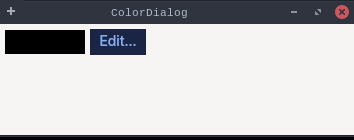
packagedev.equo;importdev.equo.swt.Config;importorg.eclipse.swt.SWT;importorg.eclipse.swt.graphics.Color;importorg.eclipse.swt.graphics.RGB;importorg.eclipse.swt.layout.GridData;importorg.eclipse.swt.layout.GridLayout;importorg.eclipse.swt.widgets.*;/** * The shape Eclipse's {@code ColorSelector} uses on every "Colors and Fonts" preference page: * seed the dialog with the colour currently in effect, open it, and apply whatever comes back * (null meaning the user cancelled). */publicclassColorDialogSnippet{publicstaticvoidmain(String[]args){Config.forceEquo();Displaydisplay=newDisplay();Shellshell=newShell(display);shell.setText("ColorDialog");shell.setLayout(newGridLayout(2,false));Labelswatch=newLabel(shell,SWT.BORDER);swatch.setLayoutData(newGridData(80,24));RGB[]current={newRGB(0,120,215)};Color[]color={newColor(display,current[0])};swatch.setBackground(color[0]);Buttonedit=newButton(shell,SWT.PUSH);edit.setText("Edit...");edit.addListener(SWT.Selection,e->{ColorDialogdialog=newColorDialog(shell);dialog.setText("Color");dialog.setRGB(current[0]);RGBpicked=dialog.open();System.out.println("ColorDialog.open() -> "+picked);if(picked==null)return;current[0]=picked;color[0].dispose();color[0]=newColor(display,picked);swatch.setBackground(color[0]);});shell.setSize(360,140);shell.open();while(!shell.isDisposed()){if(!display.readAndDispatch())display.sleep();}color[0].dispose();display.dispose();}}