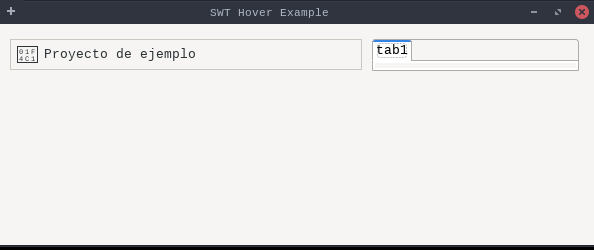
packagedev.equo;importdev.equo.swt.Config;importorg.eclipse.swt.SWT;importorg.eclipse.swt.custom.CTabFolder;importorg.eclipse.swt.custom.CTabItem;importorg.eclipse.swt.graphics.Cursor;importorg.eclipse.swt.graphics.Image;importorg.eclipse.swt.layout.GridData;importorg.eclipse.swt.layout.GridLayout;importorg.eclipse.swt.widgets.*;publicclassCursorHoverExample{publicstaticvoidmain(String[]args){Config.forceEclipse();Config.defaultToEclipse();Displaydisplay=newDisplay();Shellshell=newShell(display);shell.setText("SWT Hover Example");shell.setSize(600,250);shell.setLayout(newGridLayout());Compositecontainer=newComposite(shell,SWT.NONE);container.setLayoutData(newGridData(SWT.FILL,SWT.TOP,true,false));container.setLayout(newGridLayout(2,false));// Simula un item clickeableCompositeitem=newComposite(container,SWT.BORDER);item.setLayoutData(newGridData(SWT.FILL,SWT.CENTER,true,false));item.setLayout(newGridLayout(2,false));// Cursor tipo "mano"CursorhandCursor=display.getSystemCursor(SWT.CURSOR_HAND);item.setCursor(handCursor);Labelicon=newLabel(item,SWT.NONE);icon.setText("📁");//icon.setCursor(handCursor);Labeltext=newLabel(item,SWT.NONE);text.setText("Proyecto de ejemplo");//text.setCursor(handCursor);item.addMouseTrackListener(neworg.eclipse.swt.events.MouseTrackAdapter(){@OverridepublicvoidmouseEnter(org.eclipse.swt.events.MouseEvente){item.setBackground(display.getSystemColor(SWT.COLOR_WIDGET_LIGHT_SHADOW));icon.setBackground(display.getSystemColor(SWT.COLOR_WIDGET_LIGHT_SHADOW));text.setBackground(display.getSystemColor(SWT.COLOR_WIDGET_LIGHT_SHADOW));}@OverridepublicvoidmouseExit(org.eclipse.swt.events.MouseEvente){item.setBackground(display.getSystemColor(SWT.COLOR_WHITE));icon.setBackground(display.getSystemColor(SWT.COLOR_WHITE));text.setBackground(display.getSystemColor(SWT.COLOR_WHITE));}});// Composite con CTabFolderCompositetabContainer=newComposite(container,SWT.NONE);tabContainer.setLayoutData(newGridData(SWT.FILL,SWT.FILL,true,true));tabContainer.setLayout(newGridLayout());CTabFoldertabFolder=newCTabFolder(tabContainer,SWT.BORDER);tabFolder.setLayoutData(newGridData(SWT.FILL,SWT.FILL,true,true));ImagetabImage=display.getSystemImage(SWT.ICON_INFORMATION);CTabItemtab1=newCTabItem(tabFolder,SWT.NONE);tab1.setText("tab1");tab1.setImage(tabImage);tabFolder.setSelection(0);shell.open();while(!shell.isDisposed()){if(!display.readAndDispatch()){display.sleep();}}display.dispose();}}