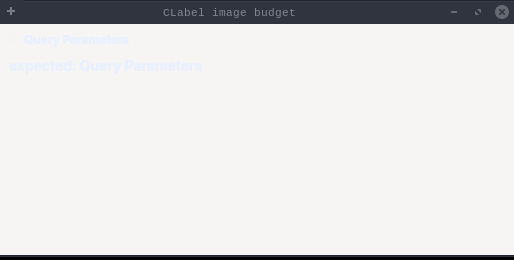
packagedev.equo;importdev.equo.swt.Config;importorg.eclipse.swt.SWT;importorg.eclipse.swt.custom.CLabel;importorg.eclipse.swt.graphics.Font;importorg.eclipse.swt.graphics.FontData;importorg.eclipse.swt.graphics.Image;importorg.eclipse.swt.graphics.ImageData;importorg.eclipse.swt.graphics.PaletteData;importorg.eclipse.swt.graphics.Point;importorg.eclipse.swt.graphics.RGB;importorg.eclipse.swt.layout.GridData;importorg.eclipse.swt.layout.GridLayout;importorg.eclipse.swt.widgets.Composite;importorg.eclipse.swt.widgets.Display;importorg.eclipse.swt.widgets.Label;importorg.eclipse.swt.widgets.Shell;/** * A collapsible-section header built the way applications build one: a CLabel carrying the * title text plus a small state icon, given LEFT alignment and no horizontal grab, so the * GridLayout hands it exactly its computeSize. * * That makes the header a strict test of the image budget: CLabelSizes reserves * imageData.width for the icon, so the icon must render within that width or the leftover is * taken out of the text, which then ellipsizes. */publicclassCLabelImageBudgetSnippet{privatestaticfinalintICON_SIZE=16;privatestaticfinalStringTITLE="Query Parameters";publicstaticvoidmain(String[]args){Config.useEquo(CLabel.class);Displaydisplay=newDisplay();Shellshell=newShell(display);shell.setText("CLabel image budget");shell.setLayout(newGridLayout(1,false));shell.setSize(520,260);FontDatasystemFont=display.getSystemFont().getFontData()[0];FontboldFont=newFont(display,systemFont.getName(),systemFont.getHeight(),SWT.BOLD);ImagecollapsedIcon=arrowIcon(display);Compositesection=newComposite(shell,SWT.NONE);GridLayoutsectionLayout=newGridLayout();sectionLayout.verticalSpacing=0;sectionLayout.horizontalSpacing=0;sectionLayout.marginWidth=0;sectionLayout.marginHeight=0;section.setLayout(sectionLayout);section.setLayoutData(newGridData(SWT.FILL,SWT.TOP,true,false));CLabelheader=newCLabel(section,SWT.NONE);header.setCursor(display.getSystemCursor(SWT.CURSOR_HAND));header.setLayoutData(newGridData(SWT.LEFT,SWT.CENTER,false,false));header.setText(TITLE);header.setFont(boldFont);header.setImage(collapsedIcon);Labelreference=newLabel(shell,SWT.NONE);reference.setFont(boldFont);reference.setText("expected: "+TITLE);PointheaderSize=header.computeSize(SWT.DEFAULT,SWT.DEFAULT);System.out.println("[budget] header computeSize="+headerSize.x+"x"+headerSize.y+" icon="+collapsedIcon.getImageData().width+"x"+collapsedIcon.getImageData().height);shell.open();while(!shell.isDisposed()){if(!display.readAndDispatch())display.sleep();}collapsedIcon.dispose();boldFont.dispose();display.dispose();}/** A right-pointing arrow drawn into a plain ICON_SIZE bitmap, so no image file is needed. */privatestaticImagearrowIcon(Displaydisplay){PaletteDatapalette=newPaletteData(newRGB[]{newRGB(255,255,255),newRGB(90,96,110)});ImageDatadata=newImageData(ICON_SIZE,ICON_SIZE,1,palette);data.transparentPixel=0;for(intx=5;x<=9;x++){for(inty=8-(9-x);y<=8+(9-x);y++){data.setPixel(x,y,1);}}returnnewImage(display,data);}}
packagedev.equo;importdev.equo.swt.Config;importdev.equo.swt.ConfigFlags;importorg.eclipse.swt.SWT;importorg.eclipse.swt.custom.CLabel;importorg.eclipse.swt.graphics.Image;importorg.eclipse.swt.layout.GridData;importorg.eclipse.swt.layout.GridLayout;importorg.eclipse.swt.widgets.Display;importorg.eclipse.swt.widgets.Shell;/** * Demonstrates CLabel (Custom Label) widget with Equo Flutter rendering. * CLabel supports: * - Text and/or image display * - Custom alignment (LEFT, CENTER, RIGHT) * - Custom colors and fonts * - Margins (top, bottom, left, right) * - Tooltips */publicclassCLabelSnippet{publicstaticvoidmain(String[]args){// Enable Equo Flutter rendering for CLabelConfig.useEquo(CLabel.class);ConfigFlags.use_swt_fonts(true);Displaydisplay=newDisplay();Shellshell=newShell(display);shell.setText("CLabel Snippet");shell.setLayout(newGridLayout(1,false));shell.setSize(500,400);// CLabel with text onlyCLabeltextLabel=newCLabel(shell,SWT.BORDER);textLabel.setText("Text Only CLabel");textLabel.setLayoutData(newGridData(SWT.FILL,SWT.CENTER,true,false));textLabel.setAlignment(SWT.CENTER);textLabel.setForeground(display.getSystemColor(SWT.COLOR_BLUE));// CLabel with text and image (if img.png exists)CLabelimageLabel=newCLabel(shell,SWT.BORDER);imageLabel.setText("Label with Image");try{Imageimage=newImage(display,CLabelSnippet.class.getClassLoader().getResourceAsStream("img.png"));imageLabel.setImage(image);}catch(Exceptione){// Image not available, continue with text only}imageLabel.setLayoutData(newGridData(SWT.FILL,SWT.CENTER,true,false));// CLabel with marginsCLabelmarginLabel=newCLabel(shell,SWT.BORDER);marginLabel.setText("CLabel with Margins (10px)");marginLabel.setLayoutData(newGridData(SWT.FILL,SWT.CENTER,true,false));marginLabel.setTopMargin(10);marginLabel.setBottomMargin(10);marginLabel.setLeftMargin(10);marginLabel.setRightMargin(10);marginLabel.setForeground(display.getSystemColor(SWT.COLOR_DARK_GREEN));// CLabel with tooltipCLabeltooltipLabel=newCLabel(shell,SWT.BORDER);tooltipLabel.setText("Hover for Tooltip");tooltipLabel.setToolTipText("This is a CLabel tooltip!");tooltipLabel.setLayoutData(newGridData(SWT.FILL,SWT.CENTER,true,false));// CLabel right alignedCLabelrightLabel=newCLabel(shell,SWT.BORDER);rightLabel.setText("Right Aligned");rightLabel.setLayoutData(newGridData(SWT.FILL,SWT.CENTER,true,false));rightLabel.setAlignment(SWT.RIGHT);rightLabel.setForeground(display.getSystemColor(SWT.COLOR_RED));shell.open();while(!shell.isDisposed()){if(!display.readAndDispatch())display.sleep();}display.dispose();}}