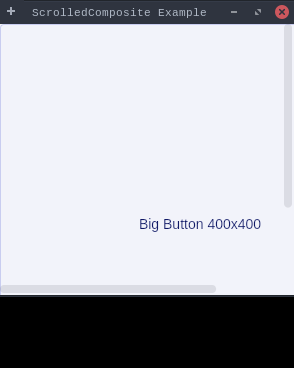
packagedev.equo;importdev.equo.swt.Config;importorg.eclipse.swt.SWT;importorg.eclipse.swt.custom.ScrolledComposite;importorg.eclipse.swt.layout.FillLayout;importorg.eclipse.swt.widgets.*;/** * Simple demonstration of SWT ScrolledComposite widget. * Creates a ScrolledComposite with a large button that triggers horizontal and vertical scrollbars. */publicclassScrolledCompositeSimpleSnippet{publicstaticvoidmain(String[]args){//Config.forceEquo();Config.useEquo(ScrolledComposite.class);Config.useEquo(Button.class);Displaydisplay=newDisplay();Shellshell=newShell(display);shell.setText("ScrolledComposite Example");shell.setLayout(newFillLayout());shell.setSize(300,300);// Create ScrolledComposite with ONLY one instance for simplicityScrolledCompositesc=newScrolledComposite(shell,SWT.BORDER|SWT.H_SCROLL|SWT.V_SCROLL);// Create a large button (400x400) that should trigger scrollbarsButtonbutton=newButton(sc,SWT.PUSH);button.setText("Big Button 400x400");button.setSize(400,400);// Set contentsc.setContent(button);// Set minimum size (button size) and enable expansionsc.setMinSize(400,400);sc.setExpandHorizontal(true);sc.setExpandVertical(true);shell.open();while(!shell.isDisposed()){if(!display.readAndDispatch()){display.sleep();}}display.dispose();}}