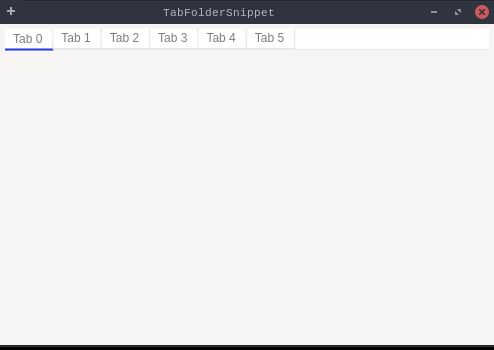
packagedev.equo;importdev.equo.swt.Config;importorg.eclipse.swt.SWT;importorg.eclipse.swt.events.SelectionAdapter;importorg.eclipse.swt.events.SelectionEvent;importorg.eclipse.swt.layout.GridData;importorg.eclipse.swt.layout.GridLayout;importorg.eclipse.swt.widgets.*;/** * Demonstrates the use of TabFolder widget in SWT. * This example creates a tab folder with 6 tabs, each containing a text area with sample content. * The tab folder includes: * - Standard SWT tab navigation * - Selection events to track tab changes * - Multi-line text content in each tab with scrollbars * - Proper layout management */publicclassTabFolderSnippet{publicstaticvoidmain(String[]args){Config.useEquo(TabFolder.class);Config.useEquo(TabItem.class);Displaydisplay=newDisplay();finalShellshell=newShell(display);shell.setText("TabFolderSnippet");shell.setLayout(newGridLayout());// Create a TabFolder with border stylefinalTabFolderfolder=newTabFolder(shell,SWT.BORDER|SWT.TOP);folder.setLayoutData(newGridData(SWT.FILL,SWT.FILL,true,true));// Create tabsfor(inti=0;i<6;i++){TabItemitem=newTabItem(folder,SWT.NONE);item.setText("Tab "+i);item.setToolTipText("This is tab number "+i);// Create content for each tabTexttext=newText(folder,SWT.MULTI|SWT.V_SCROLL|SWT.H_SCROLL);text.setText("Content for Tab "+i+"\n\n"+"This is a multi-line text area.\n"+"You can add any content here.\n\n"+"Line 1\nLine 2\nLine 3\n\n"+"The TabFolder widget provides a simple\n"+"way to organize multiple pages of content.");item.setControl(text);}// Set initial selectionfolder.setSelection(0);// Add selection listener to track tab changesfolder.addSelectionListener(newSelectionAdapter(){@OverridepublicvoidwidgetSelected(SelectionEvente){System.out.println("Tab selected: "+folder.getSelectionIndex());}@OverridepublicvoidwidgetDefaultSelected(SelectionEvente){System.out.println("Tab double-clicked: "+folder.getSelectionIndex());}});shell.setSize(500,350);shell.open();while(!shell.isDisposed()){if(!display.readAndDispatch()){display.sleep();}}display.dispose();}}